AZOM

The MOZA Bridge for SimHub
Reverse-Engineered · Race-Ready

Complete replacement software for your MOZA sim racing hardware — LED effects, LCD dashboard telemetry, and full device configuration, driven entirely through SimHub.

GPL-3.0 Windows & Linux 11 languages SimHub 9.11.8+

MOZA hardware, finally fluent in SimHub.

MOZA makes excellent sim racing hardware — but Pithouse, their companion software, is Windows-only. Linux users had no official way to manage LED effects or stream telemetry to their wheel's dashboard.

  • SimHub runs on Linux via Proton/Wine — this plugin opens MOZA hardware to its entire ecosystem.
  • Map any of the thousands of SimHub data points to your wheel's LCD dashboard.
  • Drive your LEDs through SimHub's full effects pipeline — superb paired with ATSR-EVO.
  • Cross-platform hardware control with first-class, built-in telemetry.

Built on the work of Boxflat, Linux software for MOZA control.
SimHub › Plugins › AZOM
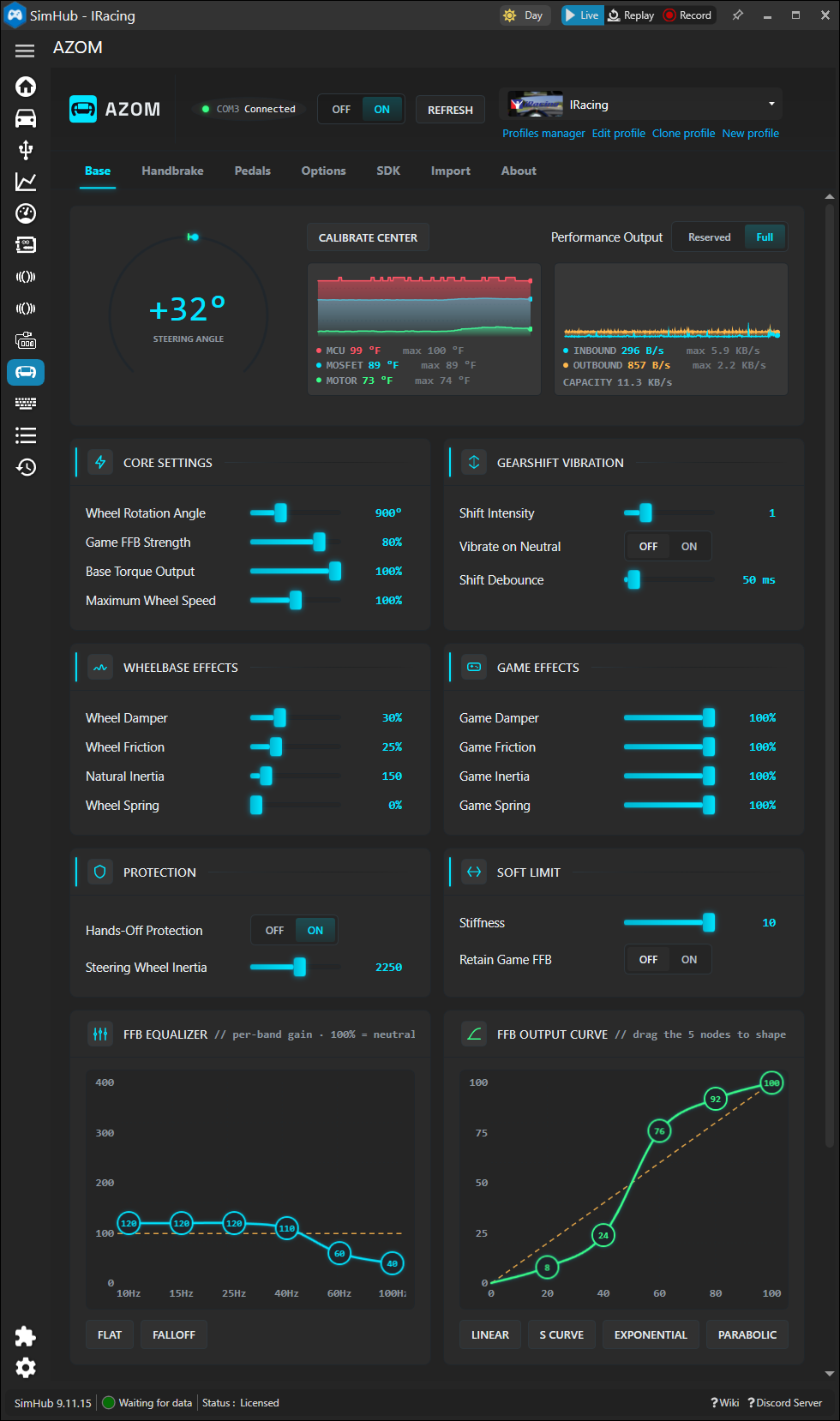
The AZOM plugin panel inside SimHub, showing steering angle, temperatures, FFB settings, equalizer and output curve

The plugin panel — wheelbase, FFB, EQ and output curves, mirroring Pithouse.
Capabilities

Everything your hardware does — and everything SimHub adds.

01

SimHub Integration

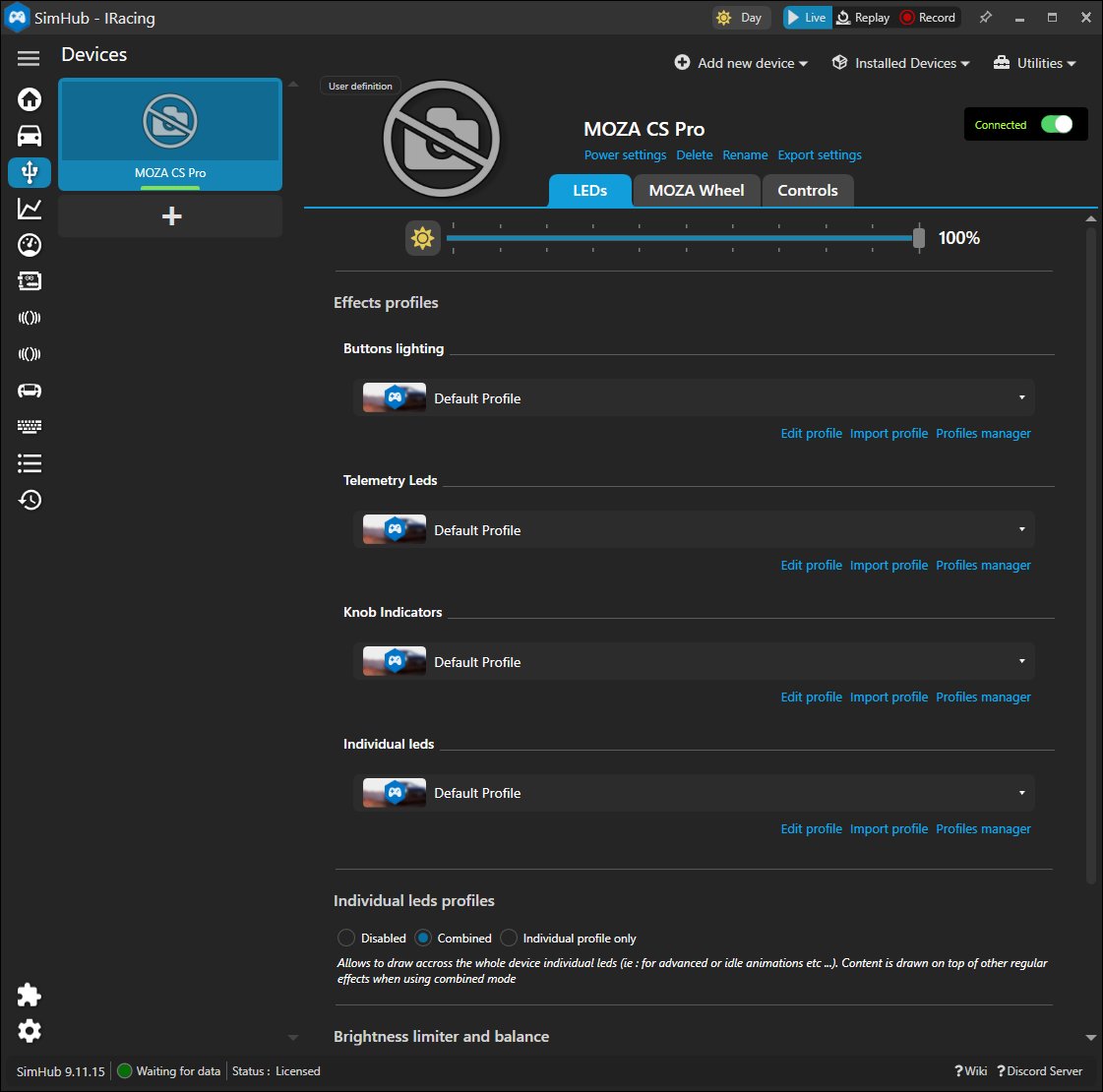
Wheels & dashboards register as native SimHub devices. Drive LEDs through the full Button & Telemetry effects pipeline — RPM, flags, limiter animations, scripted effects. Per-model definitions deploy automatically.

02

Dashboard Telemetry

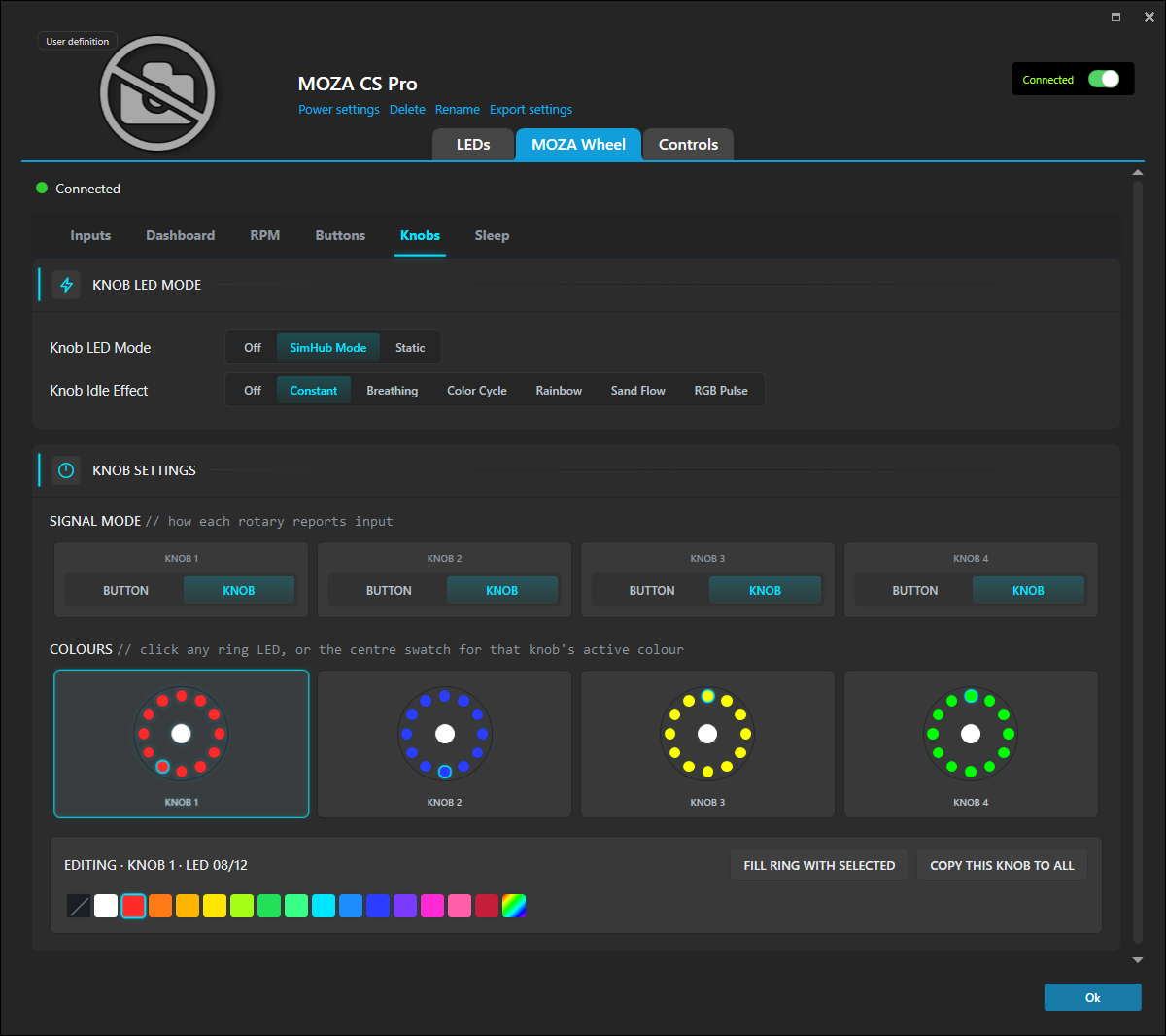
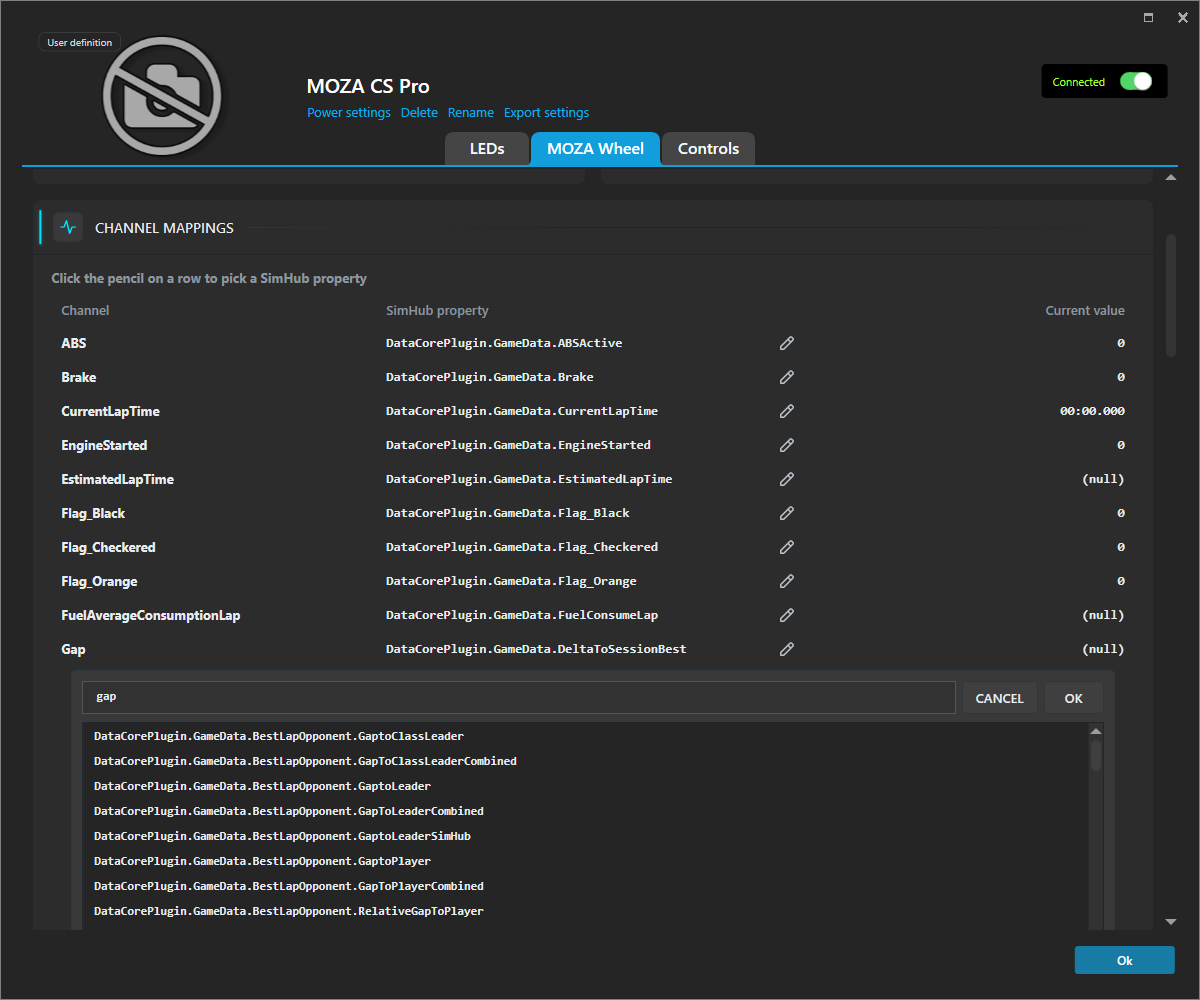
Stream any SimHub data point to your LCD via the proprietary binary telemetry protocol. Auto-detect layouts, hot-reload, per-channel custom mapping.

03

Hardware Configuration

Read/write control of wheelbase, wheel, handbrake, pedals and hub — rotation, FFB strength, damping, EQ, output curves. Tabs auto-show based on what's connected.

04

Per-Game & Per-Car Profiles

Every setting and dashboard is stored through SimHub's profile system and switches automatically the moment you launch a different title — with per-car profiles for even finer control.

05

AB9 Active Shifter

Full configuration: 5+R / 6+R / 7+R / sequential patterns, resistance, spring, damping and friction feel sliders, plus engine and gear-shift vibration.

06

mBooster Pedal Haptics

Host-rendered pedal effects from live telemetry — ABS pulse, tyre lockup, brake-threshold feedback and RPM-driven continuous vibration, per assigned pedal.

07

Wheelbase Ambient LEDs

R21 / R25 bases expose their 18-LED ambient lights as a dedicated SimHub device — standby animations, sleep mode, brightness and startup colors.

08

Full SDK Support

Full SDK integration required for iRacing and 360Hz and Low Frequency Effects.

Tested hardware

All MOZA bases Universal Hub ES wheels Vision GS GS V2P KS Pro CS Pro FSR1 FSR2 AB9 active shifter mBooster pedals Handbrake CM1 CM2 CRP2 Pedals

Also includes gearshift bump-through-the-wheel, live wheel hotswap, and serial recovery after sleep/resume.

A closer look

Real panels. Real hardware. Real telemetry.

Get started

Installed in four steps.

  1. Download the release

    Grab the latest MozaPlugin_<version>.zip from the Releases page.

  2. Drop in the DLL

    Extract MozaPlugin.dll into your SimHub directory — defaults to C:\Program Files (x86)\SimHub\.

  3. Start SimHub

    The plugin appears under Settings › Plugins as “AZOM”.

  4. Connect & detect

    Plug in your hardware and restart SimHub. Your wheel can be found under Devices by searching for MOZA.

Need the screen-by-screen version? Read Install the Plugin and Add Your Device, or browse all guides.

Read the guides
Close Pithouse first

Both apps talk to MOZA hardware over the same serial port and can't run together. Pithouse must be fully closed — not just minimized — before SimHub can connect.

Use at your own risk

This software drives force-feedback hardware capable of high torque. It's provided “as is”, without warranty. You accept full responsibility for any damage or injury arising from its use.

Development builds

The latest in-progress build is published as a pre-release: MozaPlugin_dev.zip. Expect bugs — use the stable release if you need reliability.

ATSR-EVO

Better together

Supercharge your LEDs with ATSR-EVO

ATSR-Hub EVO's custom LED framework unlocks advanced telemetry- and input-driven effects and animations. Drive your wheel LEDs in incredibly sophisticated ways.

ATSR-EVO

For dashboard authors

Telemetry out. Controls in.

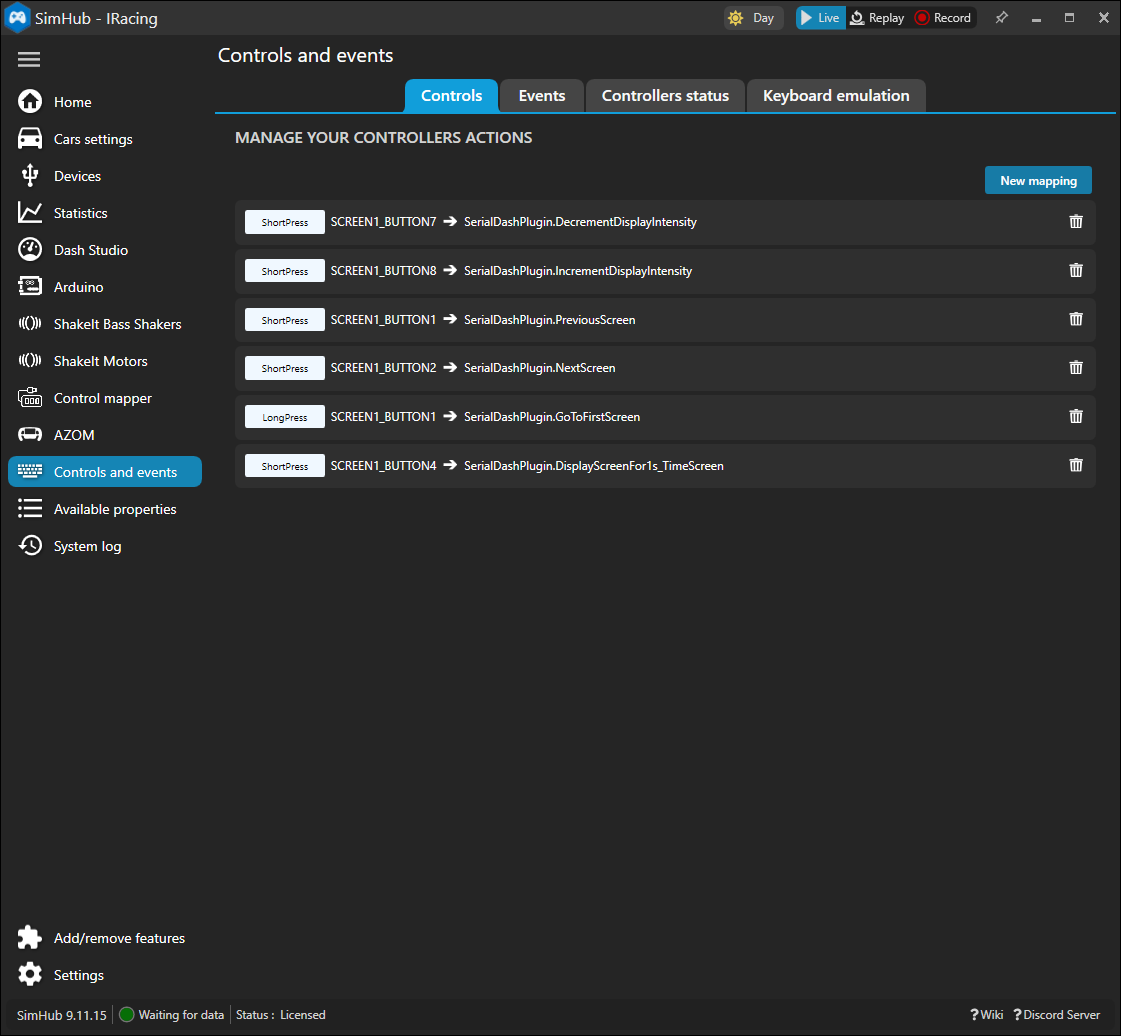
The plugin exposes live MOZA properties for your SimHub dashboards and overlays, plus a deep set of bindable actions you can map to wheel buttons.

17+
SimHub properties

Base connection, MCU / MOSFET / motor temps, FFB strength, live steering angle & position, pedal and paddle inputs — for use on your custom dashboards.

AZOM.SteeringAngle AZOM.MotorTemp AZOM.FFBStrength
40+
Bindable actions

FFB strength, torque limit, rotation, display brightness, dashboard switching, work mode, AB9 vibration — each with fine and coarse steps, bindable to any button.

Adjust FFB Strength Set Display Brightness Switch Dashboard Adjust Steering Angle
11+
Languages

Translated into 11 languages and growing. Follows SimHub's language setting, with a manual override.

English Deutsch Ελληνικά Español Français Italiano 한국어 Norsk Русский Tiếng Việt 简体中文

Full property and action reference lives in the README.