Guide
Control Mapper
Make several wheels or button boxes act as one virtual controller so your AZOM mappings survive a wheel swap.
Controls & Actions maps each wheel's buttons individually — fine for a single wheel. But if you hot-swap wheels or run several controllers, SimHub's Control mapper lets them act as one virtual controller, so the AZOM mappings you set up survive a wheel change instead of being redone per wheel.
Most people don't need this. For a single wheel, mapping AZOM actions straight from Controls and events is all it takes. Reach for Control mapper only when you're juggling multiple wheels or button boxes.
1 · Enable the feature
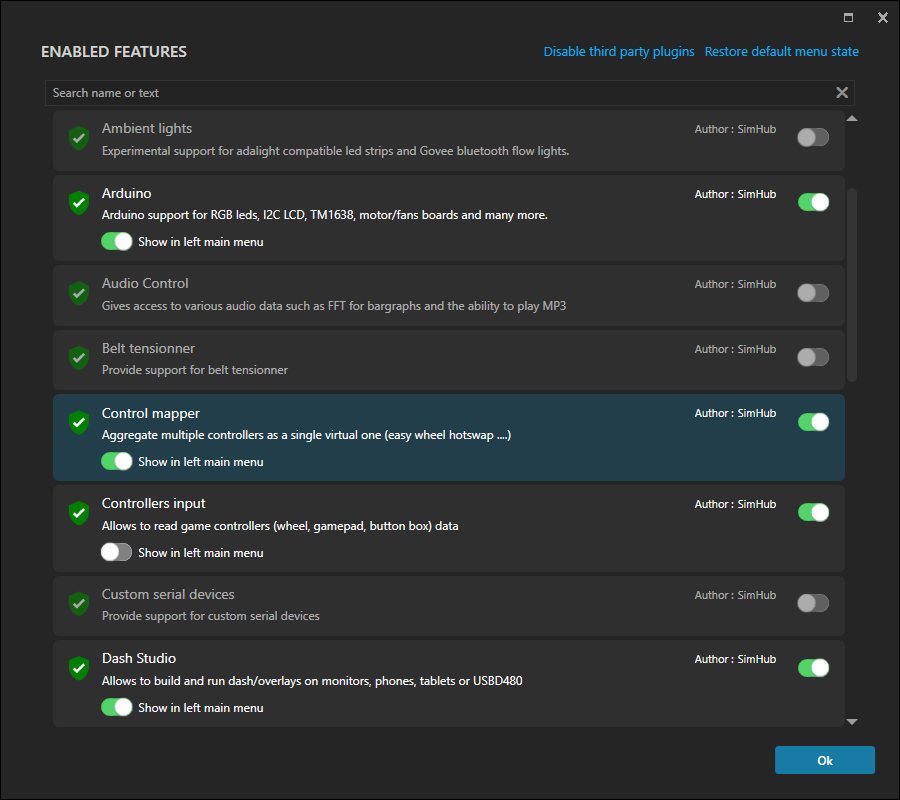
Control mapper is an optional SimHub feature. Turn it on from Add/remove features:
2 · Set the output and check your sources
For this feature to work, you MUST enable Recognize Simcube 2 wireless wheels and Fanatec Wheels as individual controllers
Once enabled, the Control mapper page is where you set the output mode and confirm your source controllers are recognised — for example a MOZA R5 Base - CS Pro showing as Connected.
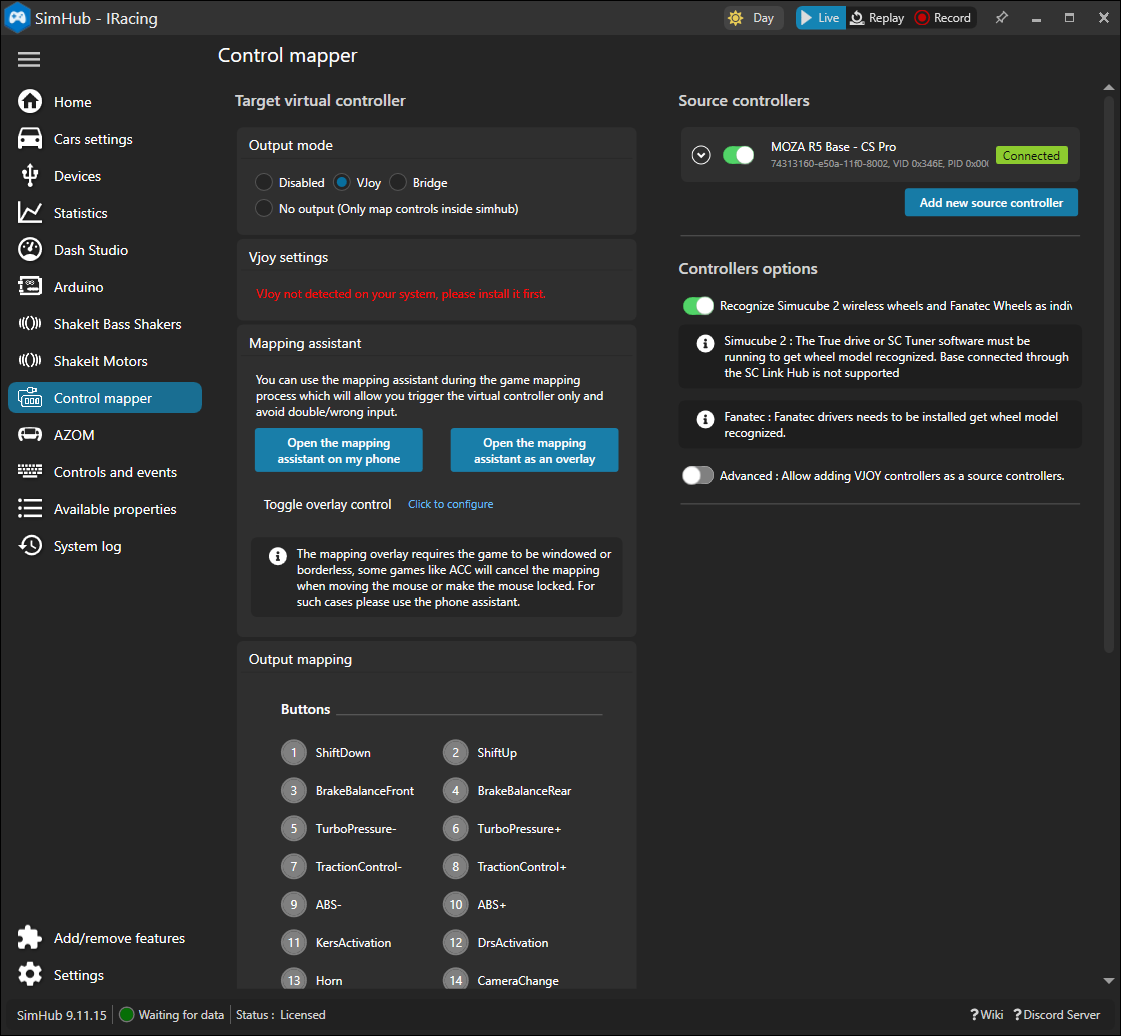
With your wheels feeding one virtual controller, the AZOM mappings from Controls & Actions keep working whichever wheel is attached.