Guide
Dashboard & Channels
Stream live telemetry to your wheel's LCD and bind any SimHub property to each display channel.
If your wheel has an LCD, AZOM can push live race data to it through MOZA's binary telemetry protocol — speed, gear, lap times, fuel, tyre temps, flags and more. You pick a layout, then map each of its channels to a SimHub property.
Turn on dashboard telemetry
Open your wheel under Devices, go to MOZA Wheel › Dashboard, and switch Enable dashboard telemetry on. Choose a Dashboard layout from the dropdown, and use Send test pattern to confirm the screen is receiving data before you go racing.
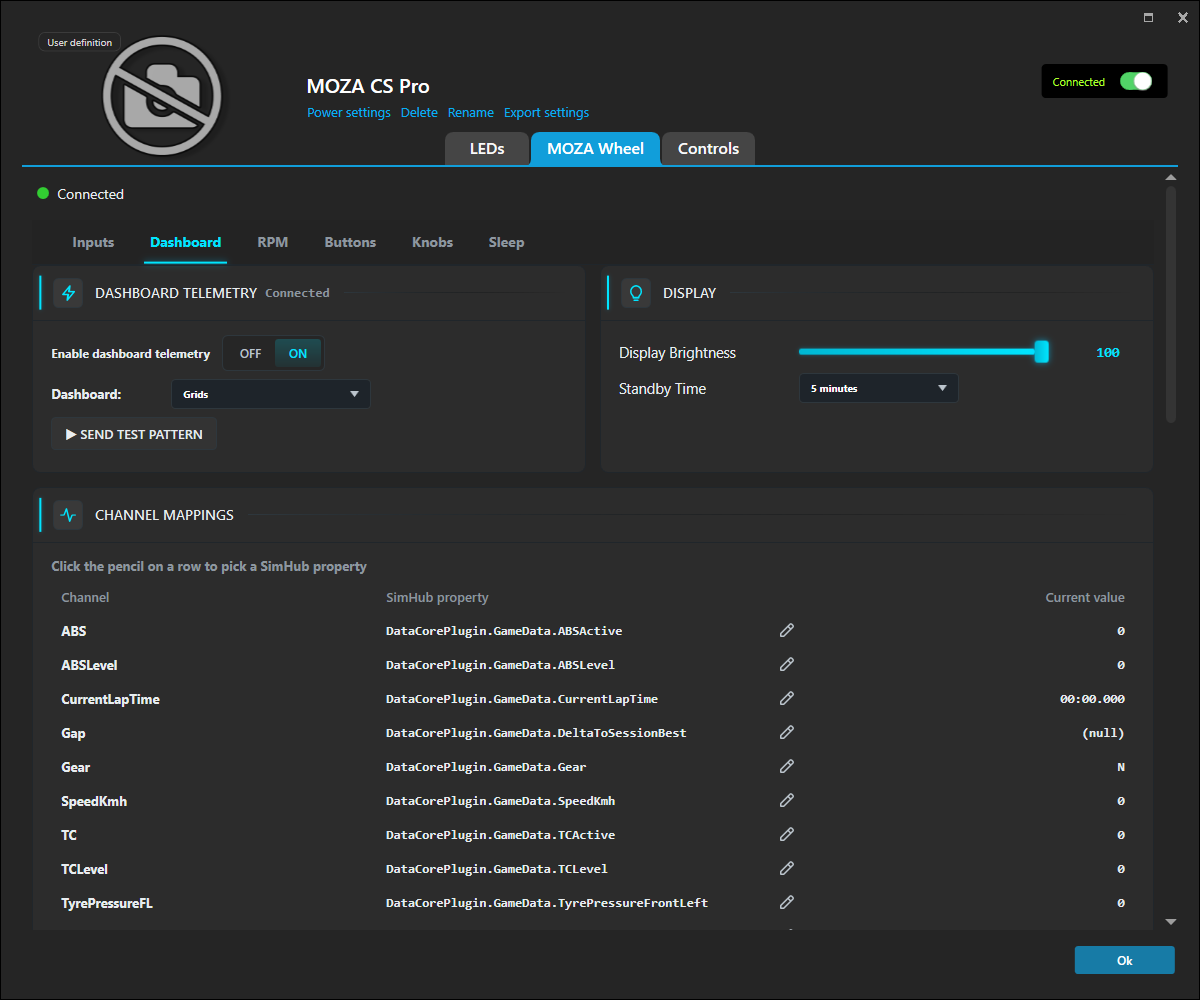
The Display panel sets screen Brightness and Standby Time — how long before the LCD sleeps when idle.
Map the channels
Each layout exposes a set of named Channels (Gear, SpeedKmh, CurrentLapTime, TC, ABS, tyre pressures…), each already bound to a sensible SimHub property. To change one, click the pencil on its row and search the full SimHub property tree.
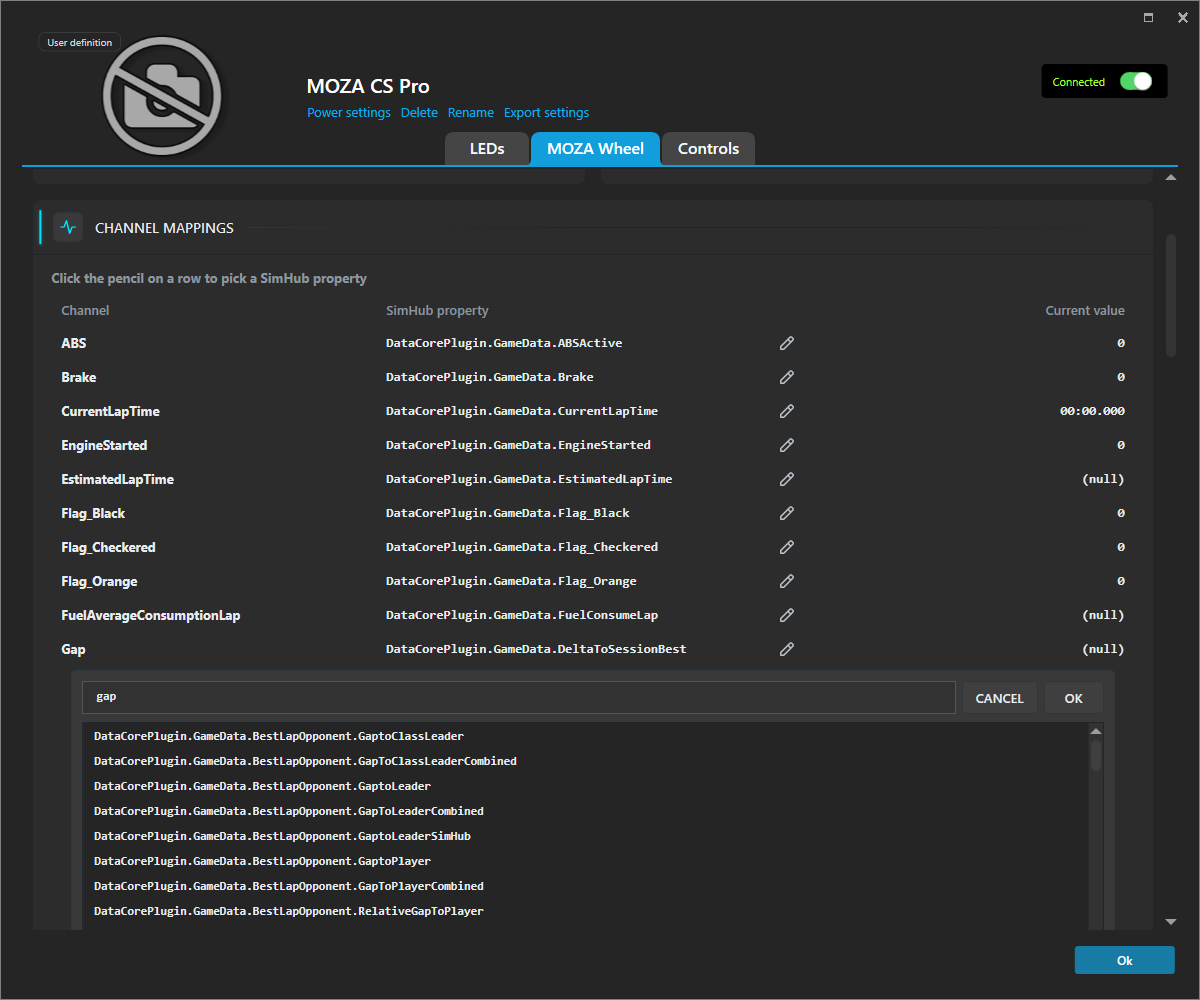
Type to filter — for example gap surfaces every gap-to-leader and gap-to-player
property — pick one, and click Ok. The Current value column updates live, so you
can confirm the binding is feeding real numbers.
Tip: Any of SimHub's properties works here, or from other plugins. The display isn't limited to the stock fields.